Sundown
Mac menu bar app that turns the screen warmer and dimmer on a schedule
50
views
0
comments
0
clicks out
Gallery
About Sundown
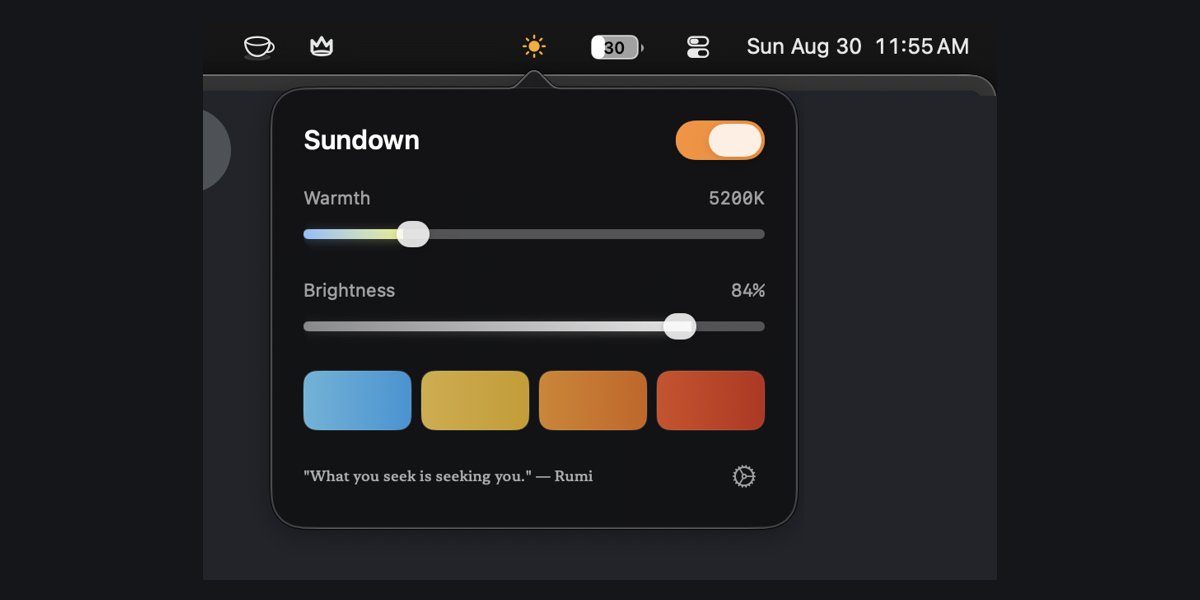
Sundown is a small app for the Mac menu bar. You tell it when your evening starts, and it takes the display from the standard 6500 K white down through amber and orange toward red, as far as 500 K, in 100 K steps, lowering brightness too. A warmth slider and a brightness slider in the panel let you override it at any moment. It runs on macOS 14 or later and is made by Jack Richards. The site has a research page at https://trysundown.com/science and an evidence table of 29 PubMed-cited studies on screen flicker and eye strain at https://trysundown.com/research/screen-flicker-and-eye-strain, which is plain about where that evidence is thin.
Overview
Who is it for?
People who work on a Mac into the evening and want the screen to warm up and dim down on its own schedule.
Problem
A Mac display sits at the same cool white from morning to midnight unless you change it by hand.
Solution
Set your times once in the menu bar and Sundown moves the colour and brightness through the evening for you.
What makes it different
A warmth range that goes all the way to 500 K in 100 K steps, with brightness handled in the same panel.
Discussion · 0
Sign in to join the discussion. Free, and it takes one click with Google.
No comments yet — be the first to give this maker real feedback.
